Android · iOS · Browser

App 70ber: bet, play at the casino, and keep track of everything from your phone

The 70ber app 70ber was developed for those who live on their phone. Live sports betting, casino with real dealers, slots, and Pix deposits — all in one place, lightweight, fast, and smooth on 4G.

Android APK iOS Mobile Browser
70ber

Choose how access 70ber

Whether through the installed app or directly via browser, the experience is complete on any device.

Android

Download the APK directly from the 70ber website. Simple installation, no Play Store needed. Works on smartphones and tablets running Android 7.0 or higher.

Create Account

IPhone and iPad

Access via Safari on iOS and add the shortcut to your home screen for an experience close to a native app. Compatible with iOS 13 or higher, no jailbreak required.

Create Account

Desktop and Browser

No installation needed. Open your browser, go to 70ber and play directly. Works on Chrome, Firefox, Edge, and Safari, on Windows, Mac, and Linux.

Create Account

Why use the 70ber app?

Most Brazilians already do everything on their phones — banking, shopping, delivery, streaming. It makes sense that betting and casino games should be there too, in an app that actually works. The 70ber built a mobile experience that is not just a scaled-down version of the desktop: it is an interface designed from the ground up for smaller screens, with thumb-accessible menus and fast loading even on slower 4G connections.

Anyone who has used other betting apps in Brazil knows the most common problem is freezing at critical moments — exactly when the game is heating up and you want to confirm a live bet. The 70ber app 70ber handles this carefully. The code is lightweight, animations do not strain the memory, and live odds update without needing to reload the entire page.

Another real advantage is the direct Pix integration within the app. You make a deposit, confirm it in your banking app using the QR Code, and your balance appears in your account instantly. For withdrawals, the process is equally straightforward: request it through the app, confirm your Pix key, and the money reaches your account quickly — no need to open a computer or contact support.

What you'll find in the app

The app of 70ber is not just for sports betting. The lobby is complete:

  • Sports betting — Brazilian and international football, basketball, tennis, volleyball, MMA, eSports and more, with pre-game and live markets.
  • Live Casino — roulette, blackjack, baccarat and game shows with real dealers in HD streaming.
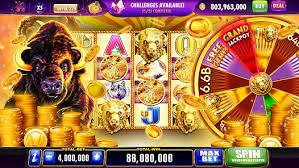
  • Slots — hundreds of slots from top providers, including progressive jackpot games.
  • Deposits and withdrawals — Pix, boleto bancário, credit and debit card, all within the app.
  • Betting history — track your open tickets and past results in the palm of your hand.
  • Notifications — live match alerts, odds updates and promotions directly on your phone.

Installing the APK on Android

How the 70ber for Android is not available on the Google Play Store — something common among betting platforms in Brazil — so installation is done directly via the APK file. The process is simple and safe, just follow the steps:

  • Go to the 70ber website from your Android browser.
  • Find the APK download button on the app page.
  • Before installing, go to Settings > Security and enable "Unknown sources" or "Install unknown apps" — depending on your Android version.
  • Open the downloaded APK file and confirm the installation.
  • Done. The 70ber icon will appear on your home screen.

This process is the same used by dozens of entertainment apps in Brazil that are not available in official stores. The APK file from 70ber is clean and requires no unnecessary permissions on your phone.

70ber
Ultra-fast loading

Lightweight interface that loads in seconds, even on 4G networks with average signal.

Real-time notifications

Receive odds alerts, results, and promotions directly on your phone.

Security and encryption

Encrypted connection and secure authentication to protect your data and balance.

100% in English

Fully localized app with support and service for Brazilian players.

How start playing via the app

1
Create your account

Sign up for 70ber in under 2 minutes. All you need is an email, CPF, and password.

2
Download the app

Android: download the APK directly from the site. iOS: access via Safari and add to your home screen.

3
Deposit via Pix

Make your first deposit with Pix, boleto, or card. Balance available instantly.

4
Play anywhere you want

Bet on live football, hit the casino, or spin the slots — all from your phone.

70ber

Requirements for install the app

Specification Android IOS
Minimum system version Android 7.0+ IOS 13+
Storage space ~45 MB Via browser
Recommended connection 4G or Wi-Fi 4G or Wi-Fi
Installation method Direct APK Safari + home screen
Live Casino Yes Yes
Live betting Yes Yes
Pix deposit Yes Yes
Push notifications Yes Limited

* Requirements may vary depending on app version updates.

IOS: how to add 70ber to your home screen

For iPhone and iPad users, the most practical option is to access the 70ber via Safari and save the shortcut to your home screen. The result is practically the same as an installed app: the icon sits alongside your other apps, opens full screen without an address bar, and loads quickly.

To do this: open Safari, go to the 70ber website, tap the share icon (the box with an arrow pointing up) and select "Add to Home Screen". Give it a name if you like and confirm. Done — the icon will appear on your home screen.

This approach works especially well on iOS because Safari provides full support for the site's features, including live video streaming for the casino, slot animations, and Face ID integration to confirm Pix payments faster.

App, browser, or desktop: which one to use?

It depends on your style. Players who bet heavily on live football tend to prefer the mobile app — the convenience of checking odds at any moment, confirming a bet at halftime, and following everything in real time makes a real difference day to day.

For the Live Casino with dealers, desktop on Wi-Fi provides the best image and sound quality. Live roulette and blackjack tables look even better on a larger screen. But if you have a solid connection, the mobile app handles it just fine.

For slots, any platform works equally well. The games are lightweight and run smoothly on both mobile and desktop. The advantage of the app here is the promotion and bonus notifications for slots, which arrive directly on your phone whenever new offers appear on 70ber.

Deposits and withdrawals through the app

One of the features that Brazilian users of the 70ber is the simplicity of payments through the app. To deposit via Pix, just go to the deposit section, choose the amount, copy the QR code or scan it with your banking app and you're done — your balance appears right away. For withdrawals, the process is equally straightforward: request the withdrawal, enter your Pix key, and wait for confirmation, which usually arrives within minutes.

In addition to Pix, the app accepts boleto bancário, credit and debit cards (Visa and Mastercard), and bank transfers for larger amounts. Everything in BRL, with no currency conversion or hidden fees. Your full transaction history is available directly in the app, making it easy to track what went in and out of your account.

70ber
Tips for the best app experience
  • Keep the app always updated to ensure the latest performance improvements.
  • Use Wi-Fi for the Live Casino — HD streaming is more stable.
  • Enable notifications so you never miss promotions and special odds.
  • On Android, only allow APK installation from the official 70ber website.
  • Set up Pix in your banking app before making your first deposit to speed things up.
  • Use two-factor authentication to keep your account protected.

Questions about the 70ber app

Yes, downloading and installing the app is completely free. There is no charge to download the APK on Android or to use browser access on iOS. The only amount involved is the deposit you choose to make to play.

No. If you already have an account on 70ber via desktop or browser, simply log in with the same email and password on the app. Your account, balance, and betting history are automatically synced across all platforms.

Yes, as long as you download the APK directly from the official 70ber website. Betting and entertainment platforms frequently distribute their apps via APK in Brazil, as Google Play policies restrict this type of application. The official file is verified and safe. Never download the APK from third-party sites or unknown links.

Yes. The 70ber Live Casino is fully compatible with the mobile app. The dealer stream is automatically adjusted according to your connection quality. On stable Wi-Fi or 4G, the experience is smooth. For maximum image and sound quality, Wi-Fi is still the best option.

Yes. The withdrawal section is available directly in the app. Just access your account, go to "Withdraw", enter the amount and your registered Pix key, and confirm. Processing is fast and the amount typically reaches your bank account within minutes after confirmation.

For sports betting and slots, data usage is quite low — similar to using any social media app. The Live Casino with video streaming uses more data, potentially reaching a few MB per minute depending on stream quality. If your data plan is limited, prefer using Wi-Fi for the Live Casino.

Download the app and play wherever you are

Create your account on 70ber, install the app on your phone and enjoy live casino, sports betting, and slots anytime — with instant Pix deposits.

Português (Brasil)